The Video SDK UI Toolkit is here!
The Zoom Video UI Toolkit allow you to embed a custom video experience in your iOS, Android, or Web apps with just a few lines of code. This reduces the amount of development effort required for implementing a video chat experience, and allows you to tailor the experience by enabling or disabling features like video, audio, chat, settings, screenshare, and more.
You can configure different aspects of the video and audio experience to align with your user preferences. For example:
- If you wanted an audio experience for live podcasts → configure the audio feature
- If you want video and audio for a telehealth or therapy session → configure audio and video
- If you want screenshare, and audio for document reviews →configure screen share and audio.
Here is an example of how to implement the UI Toolkit on web:
-
Install the UI Toolkit:
$ npm install @zoom/videosdk-ui-toolkit --save -
Specify where you want it to live on your webpage:
<div id="sessionContainer"></div> -
Import the UI Toolkit, pass in your token, configure your session settings, and then join the session:
import uitoolkit from "@zoom/videosdk-ui-toolkit";
var config = {
    videoSDKJWT: "TOKEN",
    sessionName: "SessionA",
    userName: "UserA",
    sessionPasscode: "abc123",
    features: ["video", "audio", "share", "chat", "users", "settings"],
};
var sessionContainer = document.getElementById("sessionContainer");
uitoolkit.joinSession(sessionContainer, config);
As you can see, in just 4 lines of JavaScript you now have a custom video chat experience embedded in your webpage.
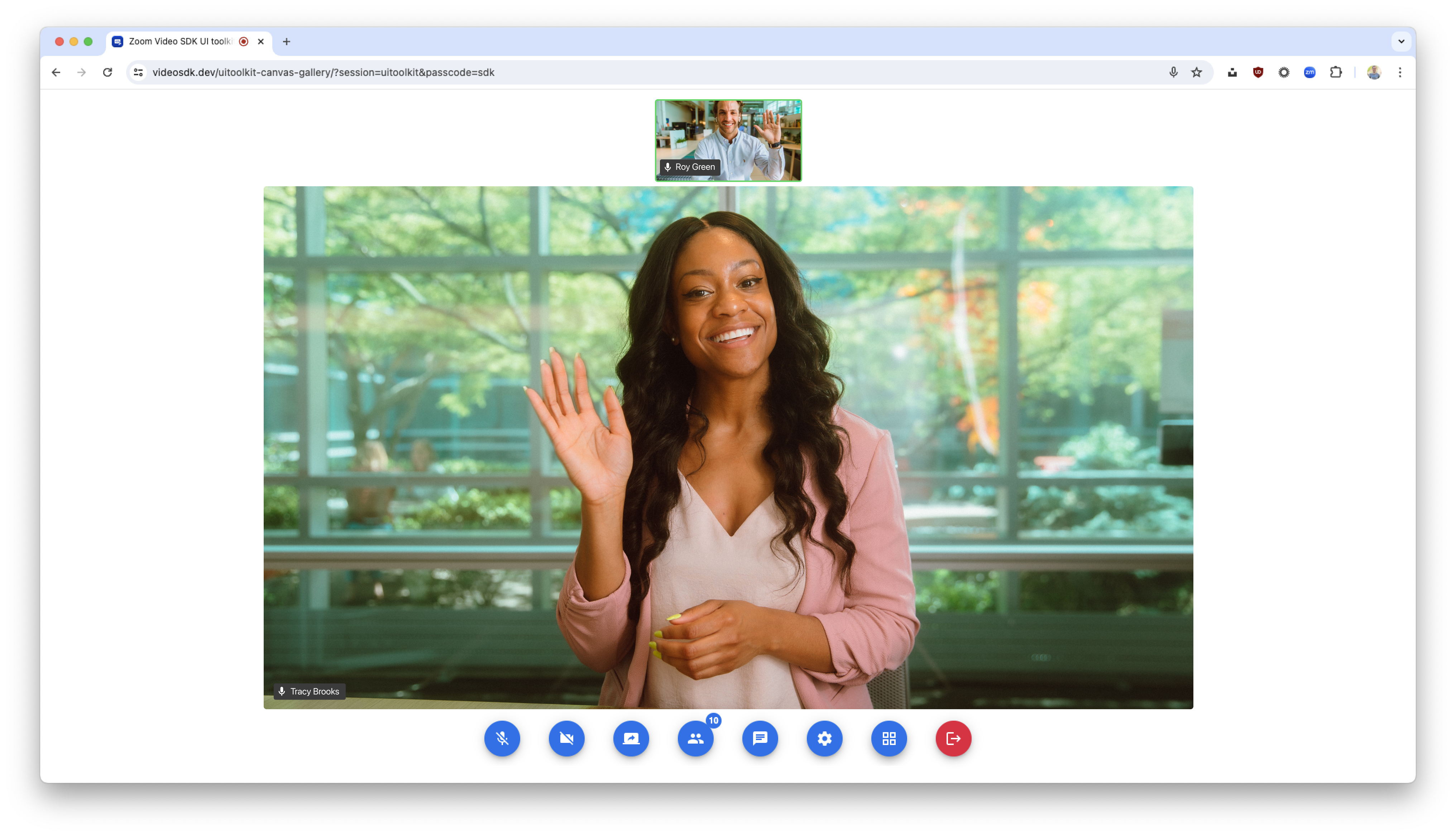
Let's take a look at some of the functionality like screenshare, chat, and more:
-
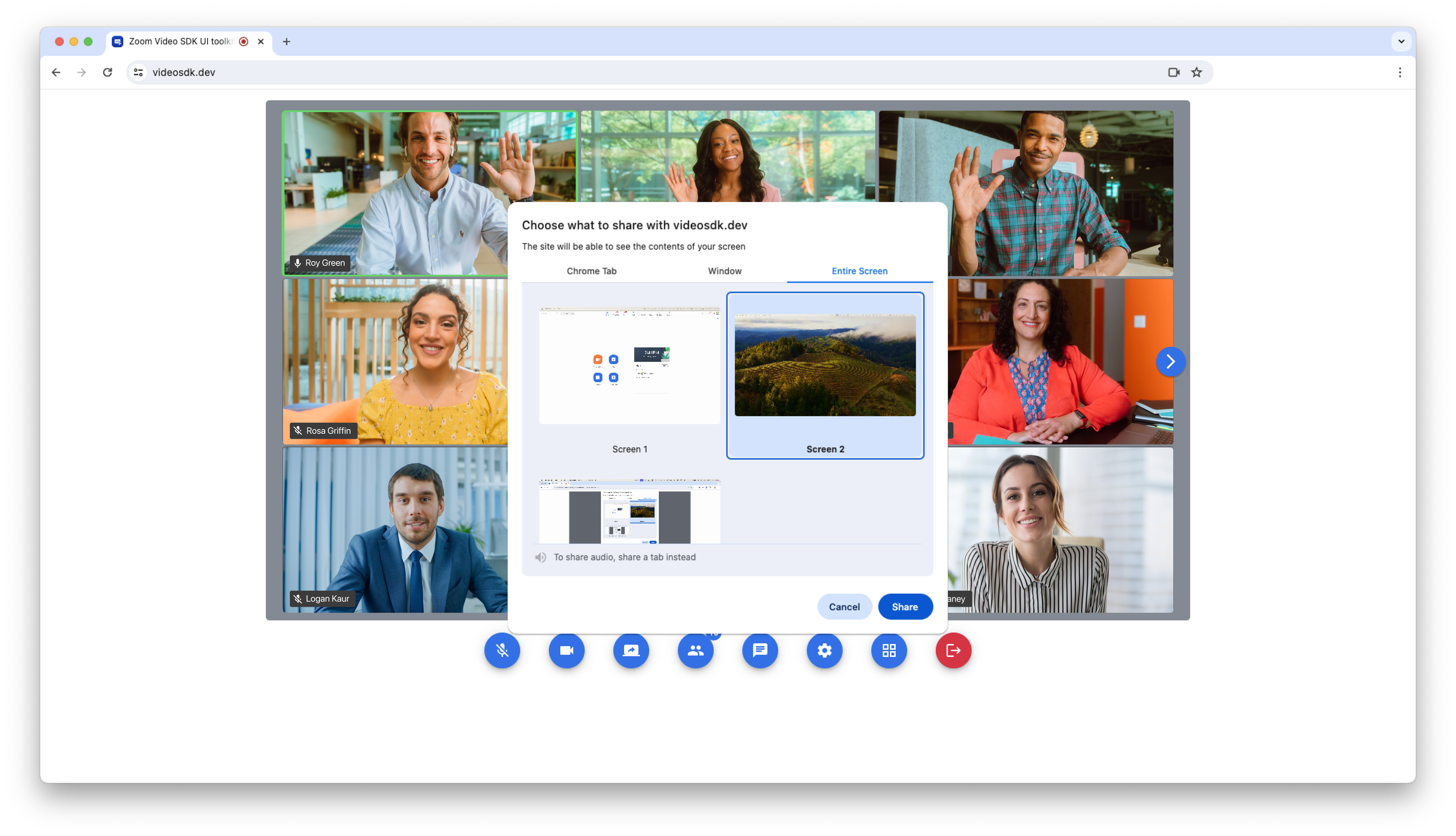
Share your tabs, window, or screen in high definition. You can even share tab audio.
-
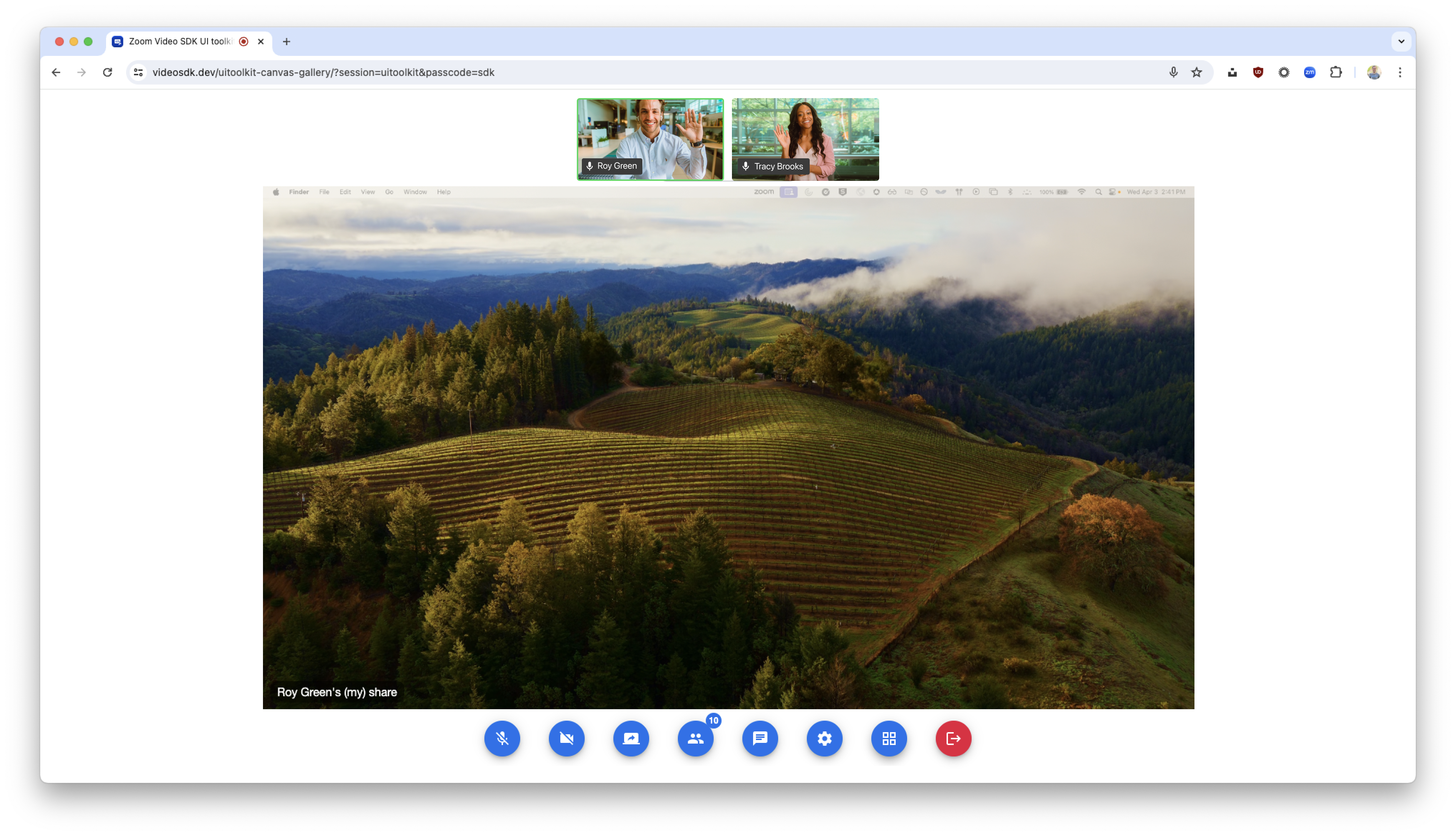
View the shared content.
-
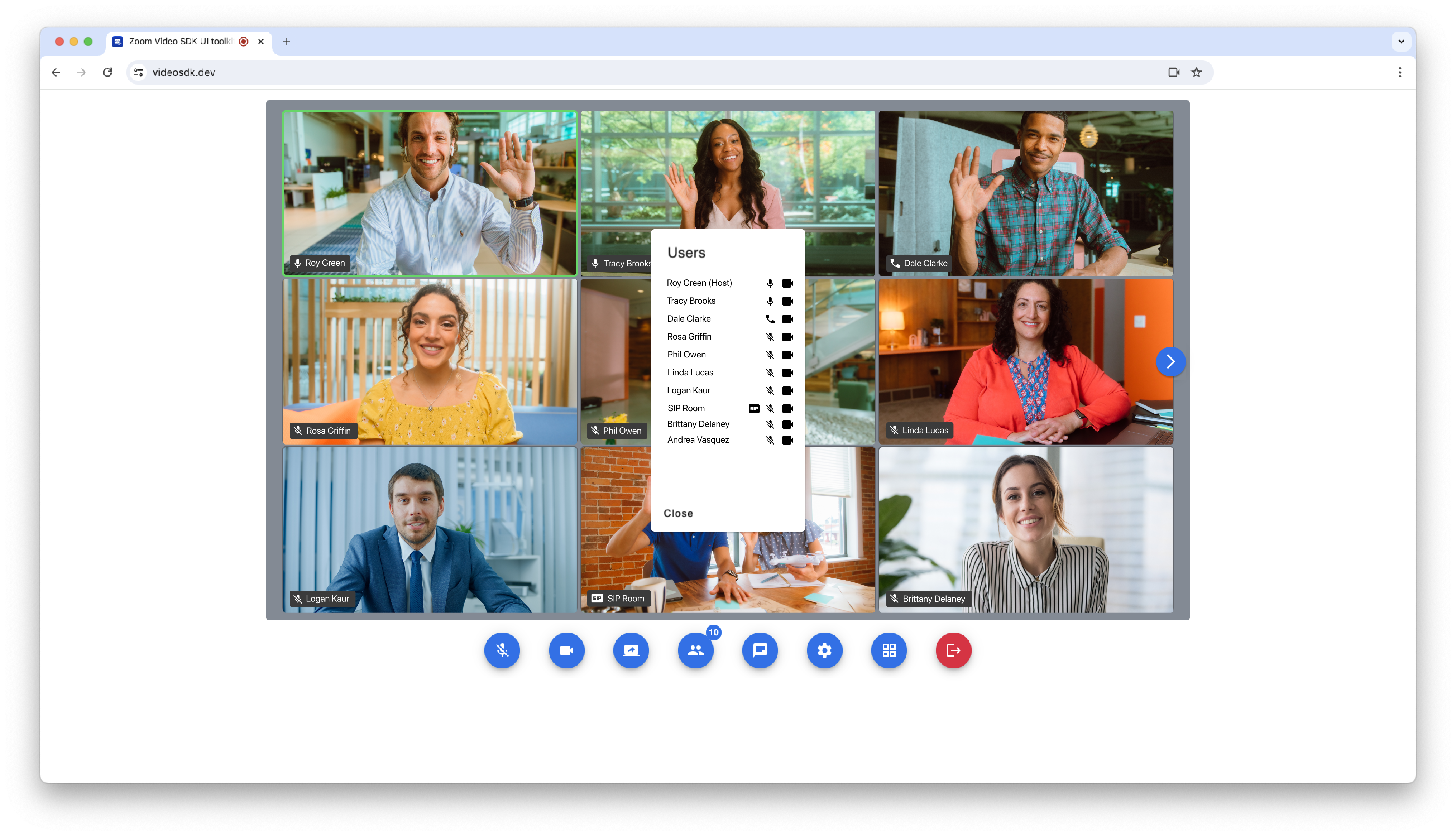
See the list of users in your session, their connection types, and audio/video status.
-
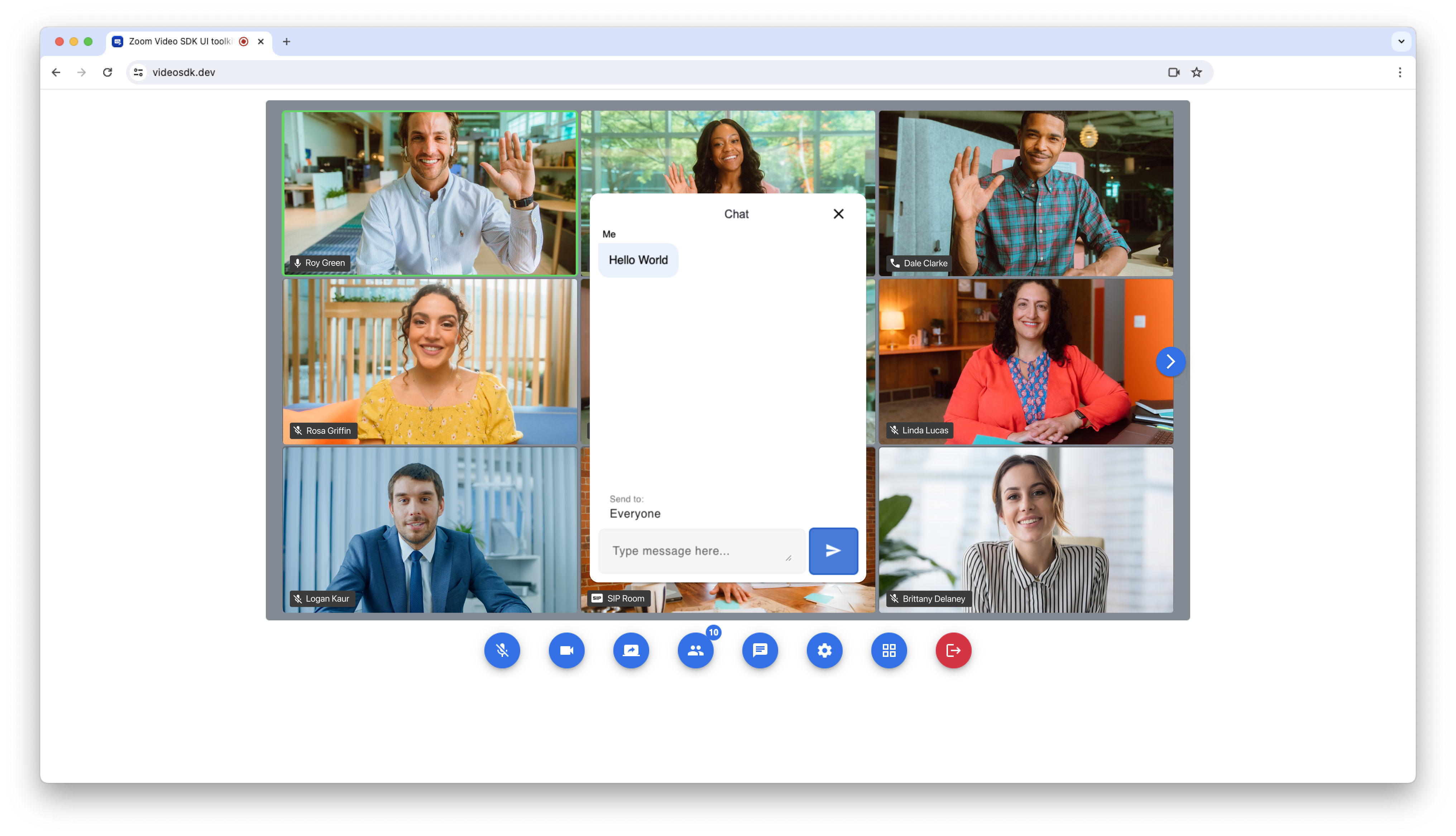
Chat to the group during the session or privately to individual users.
-
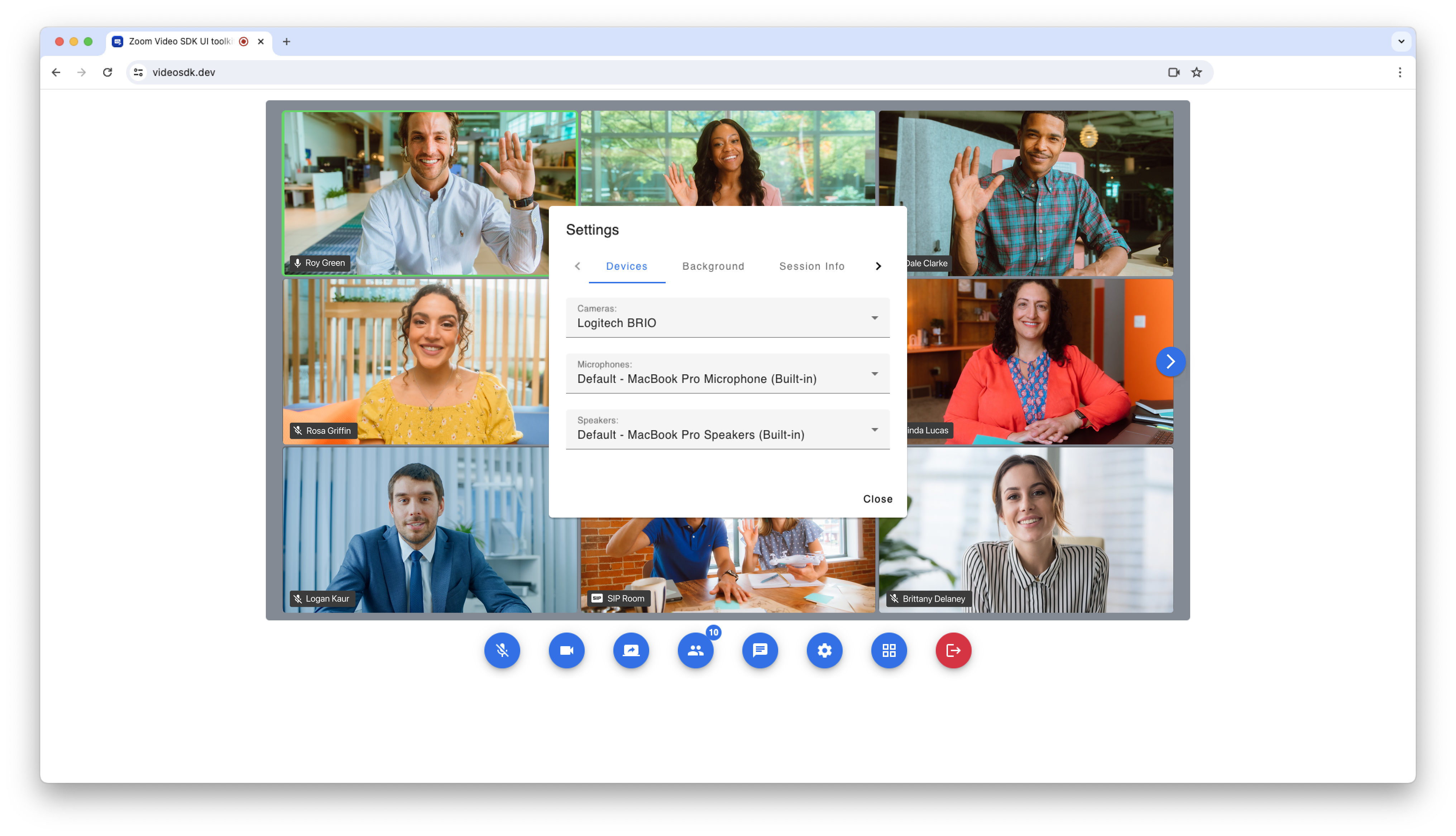
Select your preferred camera, microphone, and speaker devices.
-
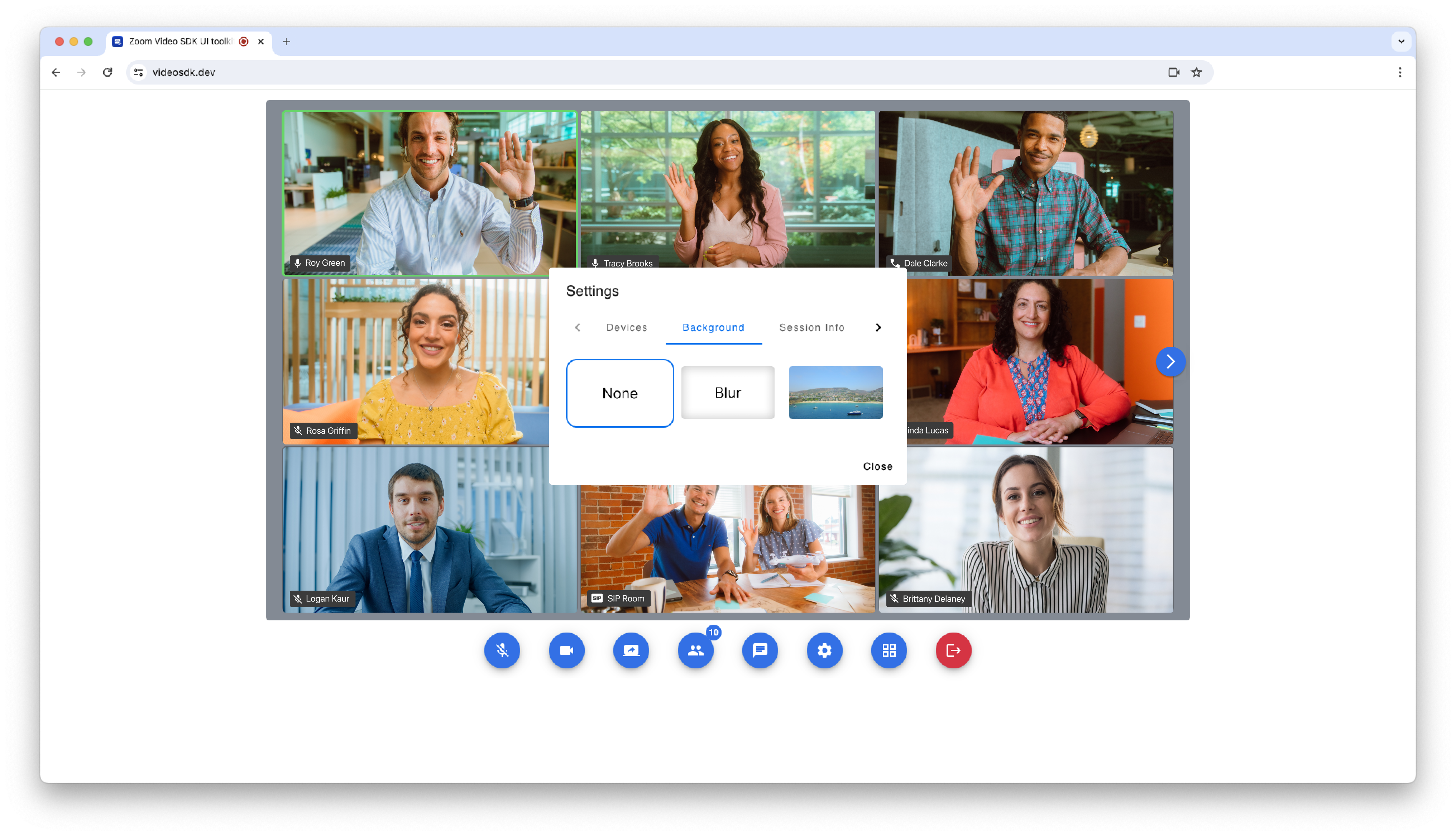
Blur or set a virtual background.
-
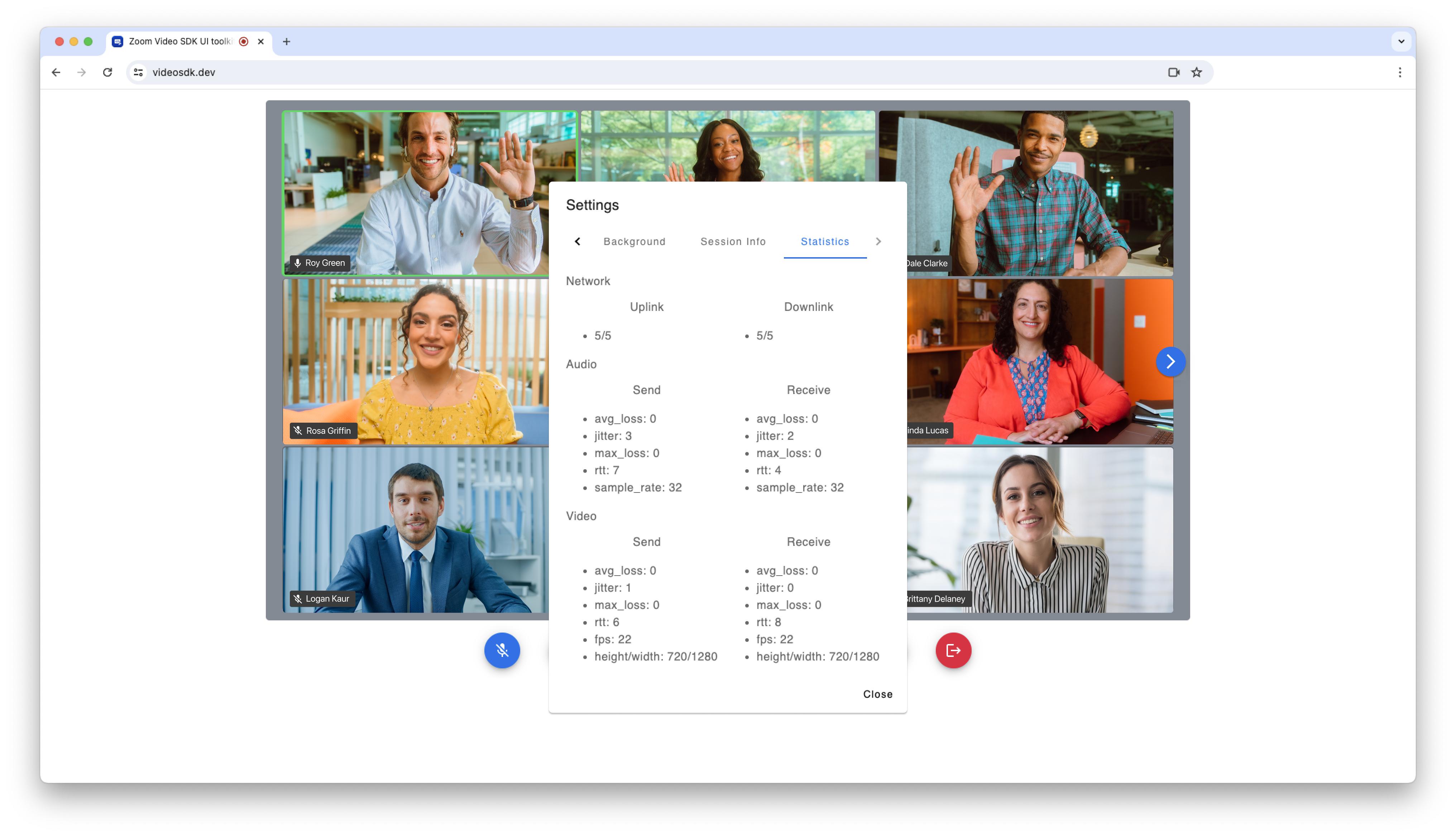
See network, audio, video, and screen share quality statistics in real time during the session.
The UI Toolkit was built using the Video SDK, and offers the same world-class audio and video quality, scale, and security from Zoom's global infrastructure.
If you are looking for complete control over the experience you are building, we recommend custom building with the Video SDK. If you are looking for a low-code option and a pre-built user interface, the UI Toolkit can help accelerate your product development.
Get started by installing the UI Toolkit on npm, Maven, or Swift Package Manager. Once installed, create your Video SDK account (10,000 free minutes a month) to get your Video SDK credentials.
Visit the Android, iOS, and web UI Toolkit docs for more information.