SharedArrayBuffer overview and implementation
The goal of this article is to guide you in implementing cross origin isolation and enable shared array buffer in your Zoom Video SDK web application!
What is SharedArrayBuffer(SAB)?
As the name implies - 'shared', 'array', 'buffer' - is an object or a structure that represents a data buffer (an array of bytes) used to create views in shared memory.
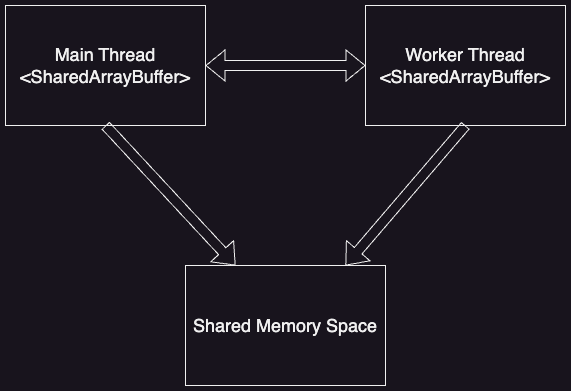
JavaScript has a shared memory for sharing data between multiple threads and we need SharedArrayBuffer to utilise this shared memory. Shared memory can be created and updated simultaneously in workers or the main thread.
Why do we need SharedArrayBuffer?
Shared memory is an advanced feature of JavaScript. By using shared memory, we can update the data from any thread without having the overhead of passing data back and forth between threads. This feature helps in efficient coding practices.
Brief history of SharedArrayBuffer and why it was reintroduced:
When initially launched in 2018, SharedArrayBuffer posed a security threat as there was a vulnerability attack across all browsers. Consequently, it was blocked in all browsers.
In 2022, significant advancements were made, critical patches were applied, and prerequisites were added to SharedArrayBuffer before it was relaunched. To use SharedArrayBuffer, any site must be cross-origin isolated. These updates have proven to enhance site security.
What is cross-origin isolation and how to know if your site is cross-origin isolated?
Cross-origin isolation ensures that your page is in a secure context by preventing any cross-origin popups and enforcing the Cross-Origin Resource Policy. This is done by adding the following two headers:
Cross-Origin-Opener-Policy: same-origin
Cross-Origin-Embedder-Policy: require-corp
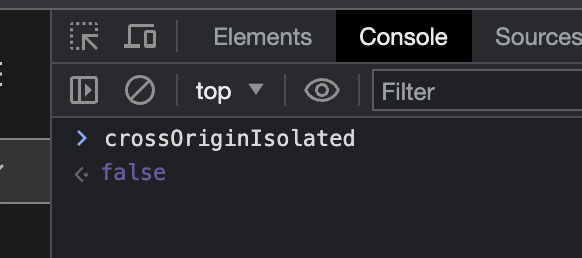
To check if your site is cross-origin isolated, you can enter the command below in the browser console. If the value returns true, then your site is cross-origin isolated; otherwise, it returns false.
How to enable SharedArrayBuffer?
By default, SharedArrayBuffer is disabled in browsers until the prerequisites are met. In other words, the support for SharedArrayBuffer is not available until your site is cross-origin isolated.
To enable the SharedArrayBuffer, you need to set certain headers. However, adding these headers to all requests can be cumbersome. It might not be easy for frontend developers to control the headers sent by the backend. One approach to solve this is by using service workers. A service worker can intercept all the requests and manage the headers.
If you'd like to test this out, here is some open source code of a service worker that intercepts all the outgoing headers and handles the headers in requests:coi-serviceworker. Please refer to the developer's readme.txt for testing and implementation in your own web application.
At your discretion, add this service worker to your code and include the script in your index.html file as shown below:
Note: There are other approaches as well, but I recommend this route.
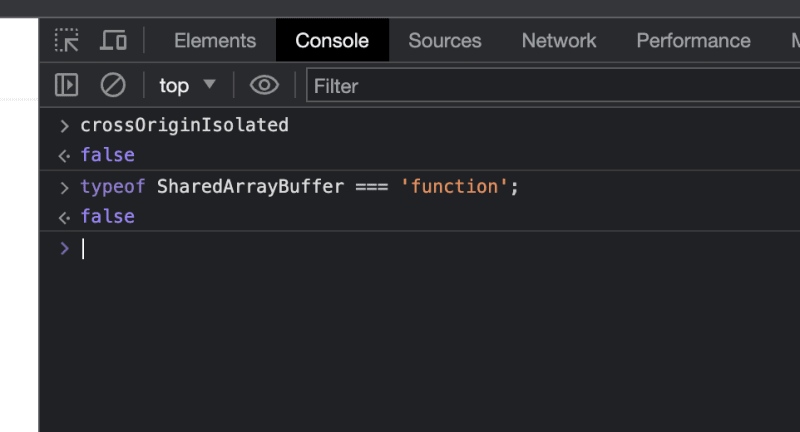
By doing this, your site shall be cross-origin isolated, and in turn, this enables the shared array buffer. You can verify the same using the commands below. Both should return "true" if the site is cross-origin isolated and, in turn, SAB is activated.
SharedArrayBuffer with respect to Zoom context:
As mentioned in our documentation, many Zoom Video SDK web client features are dependent on SharedArrayBuffer(SAB). If SAB is not enabled, these features won't work. Some of these features include "Virtual Background", "Gallery View", 720p, and sharing Chrome tab audio during screen share.
Apart from the approach detailed in this post, three other implementation options ("Cross-Origin Isolation", "Credentialless Headers", and "Using Chrome's Origin Trials") are discussed in-depth here.
You can refer to this sample commit I've created if you are looking to implement SAB in Video SDK.
Thanks for reading!